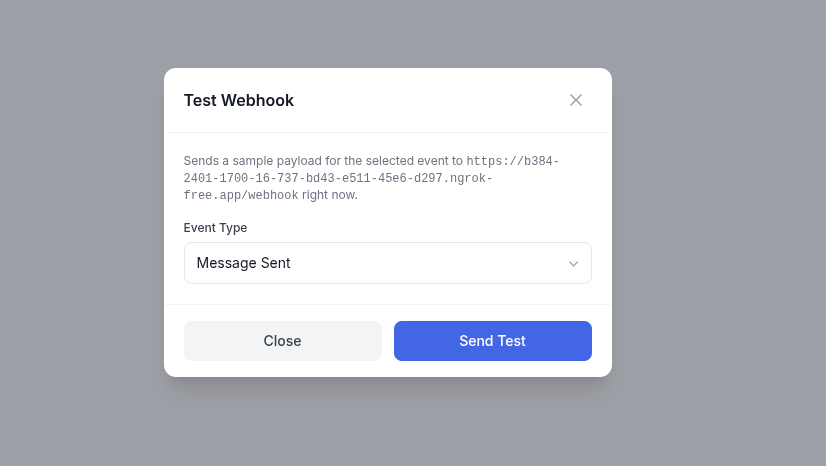
You don't have to wait for a real message or status change to confirm your endpoint works. From the webhook list, click the flask icon (Test) on any webhook row:
Pick one of the webhook's subscribed event types.
Click Send Test.
Chatmo builds a realistic sample payload for that event and sends it to your endpoint immediately, using the same signing and delivery path a real event would go through. The result (success or failure, with the error if any) shows right in the modal, and the attempt is logged like any other delivery — marked with a Test badge so it's easy to tell apart from real traffic.
:::tip Test every event type you subscribed to
Sample payloads use placeholder data, but they exercise your endpoint's real parsing and signature verification path — a good way to catch a broken handler before it matters.
:::
Reading the delivery log
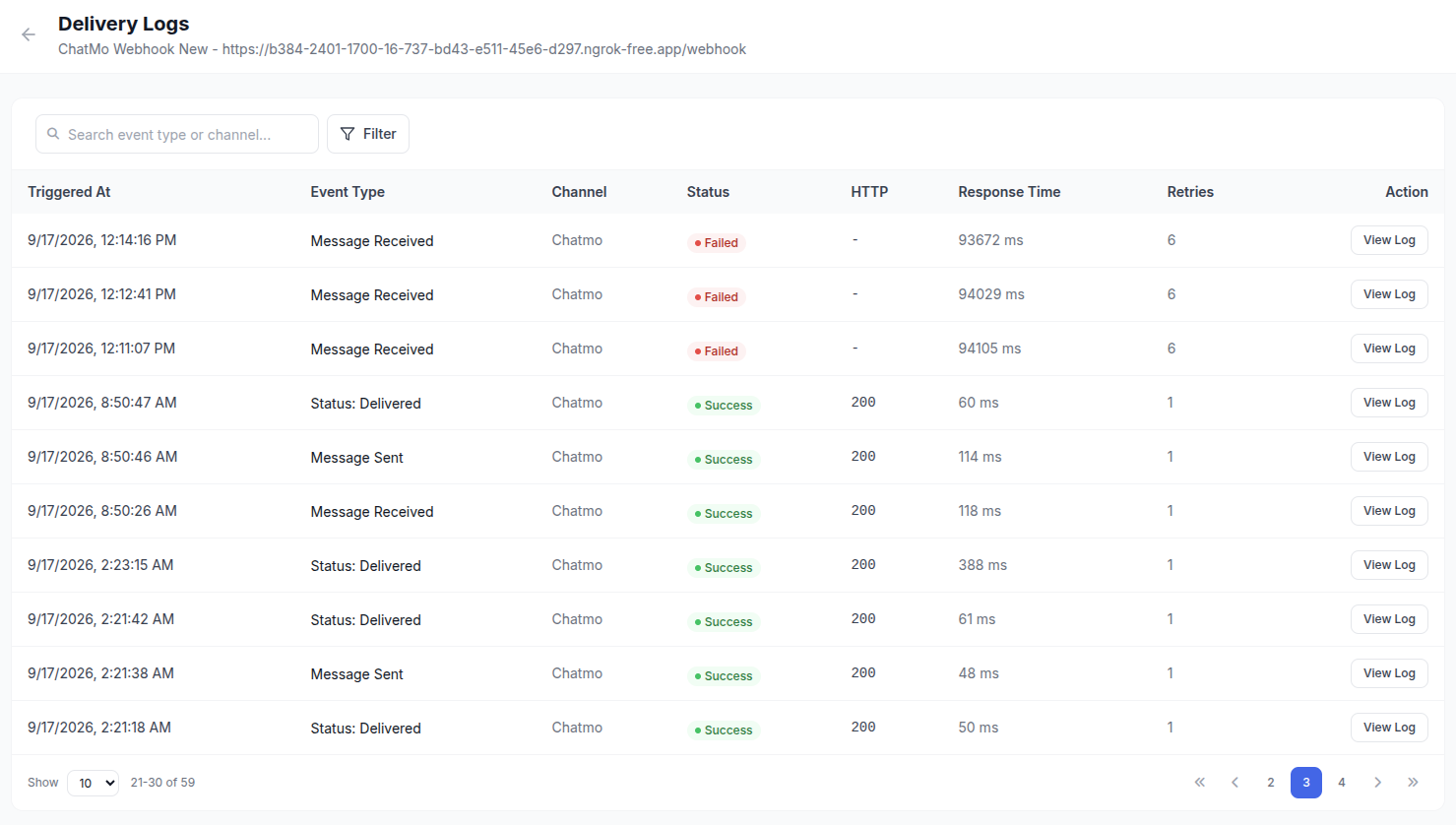
Click View Logs on a webhook row to see every delivery attempt-group for that endpoint.
The list shows, per delivery:
Column
Description
Triggered At
When the event happened
Event Type
Which event fired
Channel
The channel the event came from
Status
SUCCESS, FAILED, or PENDING
HTTP
The HTTP status code your endpoint returned (blank if it never responded)
Response Time
How long your endpoint took to respond
Retries
How many attempts this delivery took
All filtering — date range, delivery status, HTTP status code, event type, and search — runs server-side, so it stays fast even with a large history.
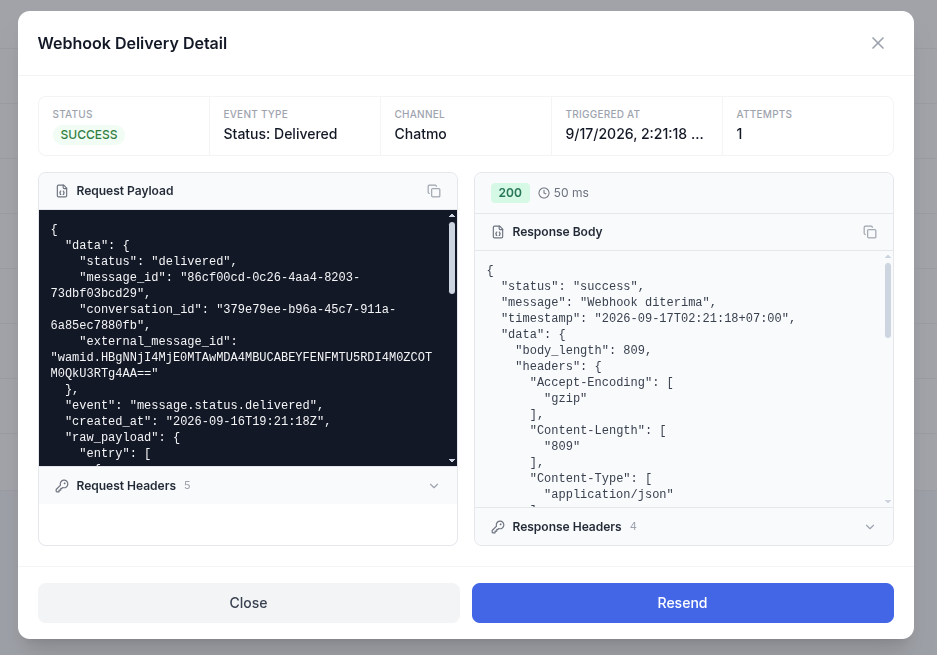
Viewing one delivery in detail
Click View Log on any row to open the full detail: the exact request payload and headers Chatmo sent, and the exact response status, headers, and body your endpoint returned.
Resending a delivery
From the detail view, click Resend to re-sign and re-send that same event to the endpoint right now. This is useful after fixing a bug on your end — rather than waiting for the next real event, you can replay the one that failed. A resend always creates a new log entry; the original stays in the log as-is for audit purposes.
Sample code
These samples verify the X-Chatmo-Signature header described in Authentication & Security. Each one computes an HMAC-SHA256 of the raw request body using your webhook's signing secret and compares it against the header, in constant time.
Replace YOUR_SIGNING_SECRET with the secret shown when you created the webhook.
cURL — simulate a delivery locally
Useful for testing your handler without waiting for a real event or using the dashboard's Test button: